
Ramp Up Your Calls With Call Bid Adjustments

Click-to-call ads were introduced seven years ago to help you connect with more customers over the phone. Since then, we’ve heard one thing loud and clear: you want to drive even more calls. And it’s no surprise—on average, calls convert three times better than web clicks.1

To help you generate more calls, we’re rolling out new call bid adjustments, which allow you to control how often the call option appears with your search ads. Use call bid adjustments to increase bids on campaigns that drive valuable phone calls. For example, if you’re a travel advertiser, you may see higher order values from calls because it can be easier to cross-sell rental cars, group tours, and other vacation add-ons during a live conversation. Raise your call bid adjustments to show call extensions more frequently and drive more of these high-value call conversions.

“Calls are an important source of new customer leads for us. Call bid adjustments help us improve our click-to-call visibility and ensure we’re appearing in the top 1-2 positions on mobile. Our on-the-go customers convert quickly within a short window of time, so it’s critical to be front and center, and show them that we offer storage units at the right price and location. Since implementing call bid adjustments and bidding higher for calls, we’ve seen a 37% increase in call volume with a 22% decrease in average cost-per-call.”
– Stephanie Christensen, Paid Acquisition Analyst

“Our customers want to speak to a real person to make sure they’re choosing the right medical alert system for themselves or a loved one. When we can walk them through our offerings live and give them that peace of mind, they have a 30% likelihood of converting, which is nearly 2x higher than with web leads. Someone connecting with us from a call extension is more valuable than a website click, so call bid adjustments to allow us to optimize for that greater value. We’ve worked with our agency, Metric Theory, to increase bids specifically for calls and improve how often the call extension shows. As a result, we’ve generated 20% higher call volume while decreasing the cost by 60%.” 
– 
Matt Guerrieri, Director of Marketing

“Call bid adjustments have helped us meet a key marketing objective by delivering a strong uplift in performance year over year, with a 79% increase in click to call rate. It has also enabled us to target our audience to generate higher value insurance policies. The flexibility of the service allows us to make the call option more prominent, thereby driving a greater number of relevant calls. Calls deliver a significant proportion of our monthly leads and we are currently working to push call bid adjustments even harder.”

– Anthony Gamble, Head of Digital Marketing (Acquisition)

Call bid adjustments are available exclusively in the new AdWords experience, which will roll out to all advertisers by the end of the year.2 To learn more about AdWords calls solutions, visit our Help Center. You can also check out best practices for maximizing call performance and improving the caller experience

Source: Official Google Webmasters Blog
AdWords Editor 12 Offers A Fresh Look And New Features To Help Simplify Your Workflow

A new version of AdWords Editor, with a refreshed design, is now available for all advertisers globally. You’ll find it even easier to manage your campaigns at scale with custom rules, faster account downloads, and more.

Custom rules help you build high-performing campaigns

With AdWords Editor 12, you can now use custom rules to check for changes that don’t align with your best practices. For example, our best practices suggest showing search ads with four or more site links. When you use this rule, AdWords Editor will let you know which campaigns or ad groups don’t meet this best practice before you post changes. You can get started by using our recommended rules or create custom rules based on your own best practices.

Faster account downloads for new AdWords Editor versions

To reduce the time you spend waiting for your accounts to download after you update AdWords Editor, we’ll now transfer more of your data from previous versions.

A new look and feel

You’ll also see a new design that better aligns with Google’s commitment to material design. While the changes will be subtle and won’t affect how you manage your accounts, you’ll now have a more cohesive visual experience across AdWords Editor, the new AdWords experience, and other Google products.

and more …

The new version of AdWords Editor also supports bidding to maximize conversions, uploading up to 20 images and videos for Universal App Campaigns, and using the new customization fields for responsive ads. You can learn more about all Version 12 updates in the AdWords Editor Help Center, or download AdWords Editor 12 here

Source: Official Google Webmasters Blog
Building A Better Web For Everyone

The vast majority of online content creators fund their work with advertising. That means they want the ads that run on their sites to be compelling, useful, and engaging—ones that people actually want to see and interact with. But the reality is, it’s far too common that people encounter annoying, intrusive ads on the web—like the kind that blares music unexpectedly or forces you to wait 10 seconds before you can see the content on the page. These frustrating experiences can lead some people to block all ads—taking a big toll on the content creators, journalists, web developers, and videographers who depend on ads to fund their content creation.

We believe online ads should be better. That’s why we joined the Coalition for Better Ads, an industry group dedicated to improving online ads. The group’s recently announced Better Ads Standards provide clear, public, data-driven guidance for how the industry can improve ads for consumers, and today I’d like to share how we plan to support it.

New tools for publishers

The new Ad Experience Report helps publishers understand how the Better Ads Standards apply to their own websites. It provides screenshots and videos of annoying ad experiences we’ve identified to make it easy to find and fix the issues. For a full list of ads to use instead, publishers can visit our new best practices guide.

As part of our efforts to maintain a sustainable web for everyone, we want to help publishers with good ad experiences get paid for their work. With Funding Choices, now in beta, publishers can show a customized message to visitors using an ad blocker, inviting them to either enable ads on their site or pay for a pass that removes all ads on that site through the new Google Contributor.

Funding Choices is available to publishers in North America, U.K., Germany, Australia and New Zealand and will be rolling out in other countries later this year. Publishers should visit our new best practices guide for tips on crafting the right message for their audience.

Chrome support for the Better Ads Standards

Chrome has always focused on giving you the best possible experience browsing the web. For example, it prevents pop-ups in new tabs based on the fact that they are annoying. In dialogue with the Coalition and other industry groups, we plan to have Chrome stop showing ads (including those owned or served by Google) on websites that are not compliant with the Better Ads Standards starting in early 2018.

Looking ahead

We believe these changes will ensure all content creators, big and small, can continue to have a sustainable way to fund their work with online advertising.

We look forward to working with the Coalition as they develop marketplace guidelines for supporting the Better Ads Standards, and are committed to working closely with the entire industry—including groups like the IAB, IAB Europe, the DCN, the WFA, the ANA, and the 4A’s, advertisers, agencies and publishers—to roll out these changes in a way that makes sense for users and the broader ads ecosystem.

Source: Official Google Webmasters Blog
Maximize Conversions With Smart Bidding

When your goal is to get the most conversions from your marketing budget, it can be challenging to set the right bid and bid adjustments. Where do you spend your next dollar to get your next customer? To help you make the most out of your budget, we’re introducing Maximize Conversions: a new Smart Bidding strategy that automatically sets the right bid for each auction to help get you the most conversions within your daily budget.

For example, if you’re a clothing retailer trying to quickly sell last season’s styles, Maximize Conversions will help you get you the most number of sales from your existing budget by factoring signals like remarketing lists, time of day, browser and operating system into bids. Smart Bidding uses Google’s machine learning technology to optimize for conversions across every ad auction—also known as “auction-time bidding”.

Trex, a luxury composite decking company, used Maximize Conversions to build brand awareness and saw a 73% increase in conversion volume: We wanted to increase the conversion volume of our high-priority campaigns without raising budgets. In our first test campaign, we saw a 73% increase in conversion volume, 59% increase in CVR, and 42% decrease in CPA, with no change in our spending Chris LaRoche
PPC Team Lead at Seer InteractiveIt’s easy to set up Maximize Conversions. Simply go to your campaign’s settings page, click “Change bid strategy” and select Maximize Conversions. You can test Maximize Conversions, get insights and monitor your bid strategies to understand their performance.

Source: Official Google Webmasters Blog
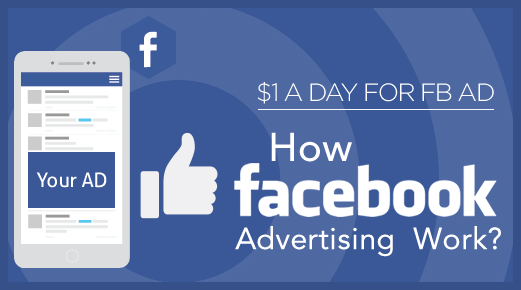
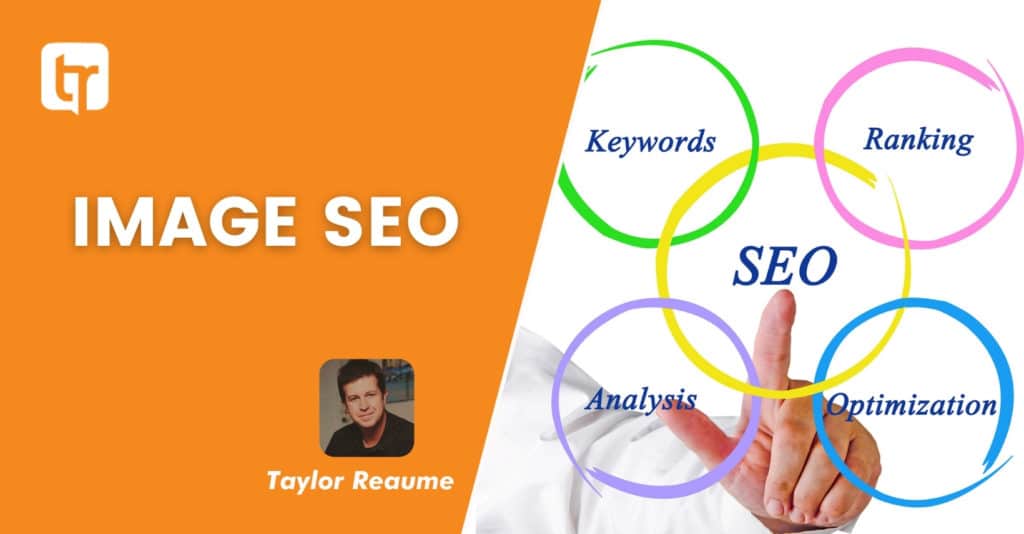
IMAGE SEO & How To Correctly Name Your Photos

IMAGE SEO & How To Correctly Name Your Photos

SEO (SEARCH ENGINE OPTIMIZATION) – THE PROCESS OF OPTIMIZING A WEBSITE TO GENERATE THE MAXIMUM NUMBER OF ‘ORGANIC’ (NON-PAID) VISITS FROM SEARCH ENGINES.

THE CORRECT WAY TO NAME YOUR PHOTOS FOR IMAGE SEO

The question on many photographers’ lips these days is: How do I get seen in a sea of similar websites?

Correctly naming your image files for optimal SEO, is a great way to start.  Google can’t analyze the actual content of an image to tell what it is depicting, and whilst this technology is most certainly on the way, it’s nowhere near ready just yet. Instead, they rely on several indicators on a web page to tell them what the photo is all about.  One of these is, as you might expect, the filename of the photo.  You should never upload photos to your website with the standard camera-applied filename, like DSC_9764.jpg!  This tells Google nothing at all and its content.

When Google knows more about the content of your image, it can include it in Image Search (click the image tab at the top of a Google search page), and sometimes the top images even show right at the head of a regular search page.  Not only does it help people find your photos directly, but it also helps Google understand the content of the page that you posted the photo on, helping that page show up higher in regular search results for the subject.

DASH OR UNDERSCORE?

Instead of the default filename, you should be describing the contents of the image in 3-8 words.  Importantly, you should be separating the words in your filename with a dash (hyphen), and not an underscore!

(THESE-ARE-DASHES)

(THESE_ARE_UNDERSCORES)

The inner workings of Google’s search engine algorithm are a closely guarded secret, but every now and again we get a little snippet of detail from one of their representatives on the Google Webmasters blog.  For some reason there’s a lot of misinformation circulating around the web on this topic, but Google’s Matt Cutts, has clearly stated that dashes (hyphens) are the way to go on this one. Whilst Matt Cutts does say that the SEO difference between the two is relatively minor, that means there is a difference.

STRAIGHT FROM THE HORSE’S MOUTH – DASH NOT UNDERSCORE!

EXAMPLES

– WRONG -> DSC_9807.jpg  

This tells Google nothing at all.

– WRONG -> blackcat.jpg  

Blackcat is not a word.

– WRONG -> black-cat.jpg

Whilst this technically does describe the image (assuming it is actually a black cat), have a think about how many photos of a black cat you’d be putting yourself up against on the internet?  Millions, I would imagine.

– WRONG -> a-black-cat-under-a-red-car.jpg

There’s no need to include stop words in your filename (a, the, it, to, etc.). Keep it short and simple.

– WRONG -> black_cat_under_red_car.jpg

Nope, the underscore isn’t a recognized word separator. To Google, this just reads as blackcatunderredcar.jpg! No good.

– CORRECT -> black-cat-under-red-car.jpg

Now we’re getting somewhere! Descriptive, and with the correct separators and no stop words.

USE IT TO YOUR ADVANTAGE

Since the filename helps Google understand the content of the page that the photo is on, you can use this to boost your search rankings for specific topics.

EXAMPLE

You are a wedding photographer from San Francisco and on the About page of your website, there is a headshot of you next to your biography.

WRONG -> joe-blogs-portrait.jpg

CORRECT -> joe-bloggs-san-francisco-wedding-photographer.jpg.

SHOULD YOU RENAME EXISTING IMAGES?

If you’re using a photo portfolio service like PhotoshelterSmugMug (get a 20% discount here), or Zenfolio, with hundreds or thousands of images, there’s little point renaming all of those files to make the names descriptive. There are obviously some organizational benefits to a photographer’s standard archive file naming scheme when photos are hosted in large volumes. Hopefully with these kinds of online portfolio archive services, you’re making use of all the other SEO options to optimize them.

The ideal setup is to use a blogging platform like WordPress, to create a new blog post every time you upload a new collection of images to your archive or online print store.  In that blog post, you include a few of the images from the collection, and those are the images that you optimize with a proper name for SEO purposes.  With properly optimized page content, and images, you’ll rank higher in more search results and bring people to the blog post.  That’s when you can let them know that a full collection can be viewed on your archive site, or prints purchased from your print store.

But what if you’ve got existing blog images that weren’t correctly named?  WordPress doesn’t natively offer a way to rename images, but you can use the plug Media File Renamer. What you have to remember, though, is that the filename is part of the direct URL to that image.  If you do decide to change the filename, you’ll be altering the URL and it will reset any SEO juice that this image might have already gathered over time.

If you already have images that show up often in Google Image searches, you definitely don’t want to go renaming these ones.  Choose wisely when tackling this question… my thought is that if you have a relatively new blog of only a few months old, you can rename the files with this plugin and probably get more long-term benefit from it than a short-term disadvantage.  For older blogs, it’s probably not worthwhile.

Say It In Six: Why Marketers And Creatives Are Embracing The Newest Video Ad Length

Have you heard the good news about YouTube’s six-second bumper ads? These little wonders have swept the globe for three simple reasons: they provide wide reach, they drive brand results and they’re a great canvas for creativity.

And we’re ready to mark the one year anniversary of bumpers by giving them their star turn – for the 2017-2018 upfront season, we’re making bumpers available for Google Preferred buys. This format is a perfect match to the sought-after content included in Google Preferred and will help advertisers drive reach and build awareness during increasingly mobile viewing moments.

Let’s take a closer look at this little format that could, built to capture attention wherever and whenever it’s available.

Bumpers drive efficient reach

Sold on a simple CPM, bumpers aren’t just an easy way to get your brand in front of a lot of people – they also effectively drive upper funnel results. We looked across 122 bumpers campaigns in the US last year and found that 70% drove a significant lift in brand awareness, with an average lift of 9%.1 On ad recall, they perform even better – over 9 in 10 drove ad recall globally, with an average lift of over 30%.2 Given their high success rate and ease of use, bumpers can be a great building block for your YouTube campaigns.

Bumpers work for brands

Thanks to their efficiency and efficacy, many brands are weaving bumpers into their campaigns. For instance, Busch used bumpers to continue the story from their first-ever Super Bowl ad. Busch worked with their creative agency Deutsch to collect extra footage from their Super Bowl shoot and create bumpers with different themes. This approach resulted in a double-digit lift in both purchase consideration and brand awareness among viewers. Knowing how well its bumpers performed across various brand lift metrics, Busch was also able to optimize its campaign in real-time, tailoring its creatives to audience segments most likely to consider buying the beer after seeing a particular ad. As Anheuser-Busch’s Senior Director, Digital Victoria Vaynberg points out, “Capturing consumers’ attention is always a challenge, so short and contextually-relevant content is key to getting over this hurdle. By using YouTube bumpers, we were able to tap into a great product that is built to address this challenge and successfully break through with consumers.”

Under Armour also turned to bumpers for a recent product launch. They took a strategic hybrid approach for advertising on YouTube, leading with a TrueView ad, which helped to engage the audience through an emotional narrative, followed by bumpers that highlighted the innovation of the new product.

“Under Armour is committed to making all athletes better through performance and innovation, while inspiring the next generation of athletes with powerful storytelling,” said Jim Mollica, Vice President of Consumer Engagement at Under Armour. “Our forward-thinking strategy guided our athletes through a unique engagement funnel, which was evidenced by double the lift in product interest among people who saw our YouTube bumper ad and our TrueView ad combined, compared to those who only saw our TrueView ad.”

We’ve also seen strong results in third party studies when using a comparable approach to Under Armour’s – using bumpers to remarket to TrueView views produced a significantly higher lift in ad recall vs TrueView alone, with an average higher lift of 42% for the skipped views and 104% for the paid views.3 We’re excited to see other brands follow a similar playbook, orchestrating their storytelling across ad lengths to maximize results.”

Bumpers offer a great canvas for creativity

It’s no surprise that some of bumpers’ earliest fans have come from the creative community. Part of the reason bumpers are such a fertile format for storytelling is that creativity thrives in constraint. At SXSW, we challenged artists, filmmakers and agency creatives to re-imagine classic works of literature in six seconds – effectively re-telling these stories in miniature. The results were by turns evocative, funny, poignant and beautiful, and they showed that six seconds is a natural and adaptable ad length. For more insights into how to build bumpers that work, check out our new article “Success in Six” on Think with Google.

For more information on bumpers, including how to set up a campaign, check out the Help Center, and don’t forget to #bumpitup.

Source: Official Google Webmasters Blog

Introducing Smart Display Campaigns

There are now over 3 million apps and websites on the Google Display Network (GDN), from popular news websites to the latest gaming apps. No matter what your customers are doing to stay informed or entertained across the GDN, it’s important to reach them with timely and relevant messages. In order to do that, you need to find the right customers, tailor your creativity to them and set optimal bids. Starting today, Smart display campaigns begin rolling out to all advertisers, letting you reach more customers easily on the GDN. Smart display campaigns use the power of Google’s machine learning to automatically:

Only Google provides automation like this at scale, helping you deliver richer experiences to consumers and better results for your brand. In fact, advertisers who use Smart display campaigns are seeing an average 20% increase in conversions at the same CPA,1 compared to their other display campaigns.trivago, a hotel search platform, is using Smart display campaigns to help travelers around the world find hotel rooms that meet all their travel needs—like a room large enough for a family of four, one with hi-speed Wi-Fi for a business trip, or one with an ocean-front view for that well-deserved beach vacation. The travel brand provided:

  1. Creative assets: Headlines like “Find Great Hotel Deals,” descriptions of its hotel listings, beautiful images of destinations like Rome and London, and its logo
  2. Business goals: A target CPA and daily budget

AdWords did the rest—creating over 25,000 tailored ads and showing them to travelers shopping for hotel deals. For instance, people browsing a travel blog might see a message with trivago’s “Find Great Hotel Deals” headline and a breathtaking image of the Coliseum. With Smart display campaigns, trivago drove 36% more conversions at the same CPA, compared to its other similar display campaigns. The brand now uses Smart display campaigns across markets in Europe, Asia, and North America.

Credit Karma, free credit and financial management website, used Smart display campaigns to get more signups and drove 37% more conversions at a similar CPA.2Smart display campaigns help our team save time, engage new customers, and scale our marketing efficiently

Andrew Tam
Senior Director of Marketing at Credit Karma

Hulu Japan, a subscription video service, turned to Smart display campaigns to reach new subscribers and drove a 37% higher conversion rate.3Smart display campaigns make it simple to set up and manage our campaigns using the power of automation. They’re a really effective way to promote our service to prospective customers

Source: Official Google Webmasters Blog

Dynamic Search Ads Are Now More Effective Than Ever

Dynamic Search Ads (DSA) help you reach people who are searching for your products and services—without the need for you to actively manage keywords or ads. Today we’re introducing three improvements to DSA: page feeds, expanded ads, and quality enhancements. 

Control the products you advertise

Page feeds give you additional control over your DSA campaigns to ensure only relevant products and services are shown to your customers. Simply provide us with a feed of what you want to promote and select the landing pages that you want to include in your auto targets. We’ll use this information to determine when your ads will show, and where to direct your customers to on your website.

You can also apply custom labels in your page feeds to keep your ads organized. For example, create a label called “Holiday Promotion” and apply it to a group of products to easily activate and pause all ads within that promotion at the same time. Mark out-of-stock products with an “Unavailable” label to prevent driving traffic to them.

Hot Pepper Beauty, one of Japan’s top salon booking services, uses page feeds and has reduced its time spent managing DSA campaigns by 90%:DSA with page feeds helps us expand our audience reach and dramatically reduces operational overhead while maintaining targeting control at the URL level

Tomoyuki Ishii
Manager of Digital Marketing at Recruit Lifestyle

Booking.com, the world leader in booking accommodations online, has also experienced positive results with page feeds:
DSA Page Feeds has provided us with better ad performance through more relevant ads and allows us to reach more potential customersRichard Gradwell
Richard Gradwell, Director Marketing PPC Booking

Expand your Dynamic Search Ads

Earlier this year, Search and Display campaigns fully transitioned to expanded text ads. Over the next month, we’re rolling out support within DSA campaigns for this expanded format. Longer headlines and description lines allow you to show more information about your business before people click your ad. When you create a new ad, use the expanded description field to provide deeper messaging that focuses on what consumers care about. 

Show more relevant ads

It’s important that your ads only show when they’re most relevant to what people are searching for. For example, if you’re a baker in Palm Springs, your ads should only show to people who are looking for baked goods in Palm Springs. That’s why we’re always improving the effectiveness of our DSA campaigns. With our latest updates, advertisers are seeing on average an increase in conversion rate and a decrease in CPA. 

Source: Official Google Webmasters Blog

Google Optimize And Google Surveys 360 Join Forces With AdWords

AdWords users get two new ways to understand and better serve their customers

Here’s good news for AdWords advertisers: as you heard yesterday at Google Marketing Next powerful new integrations with Google Optimize and Google Surveys 360 are coming soon to your accounts. The Surveys 360 integration is now live in the U.S. and Canada; the integration with Optimize will be available in the coming weeks.

Optimize is a A/B testing and personalization tool that makes it easy to see which changes to your web pages work best for your users and your business. Surveys 360 is a market research tool that helps enterprises gather fast, reliable insights from real people online and on mobile.

Both new integrations with AdWords are designed with a simple goal: to make it easier than ever to understand and serve your potential customers. Here’s some detail on both.

Better landing pages, better results

Advertisers naturally spend a lot of time thinking about their ads. What gets people to click? Will the words “free shipping” sell more than “10% off”? AdWords has always made it easy to create many different ad campaigns to see which performs best. But the ad is only part of the experience.

The new integration between Optimize and AdWords makes it easier than ever to take the next step: to improve and personalize the landing pages those ads lead to. The integration gives marketers a fast way to create and test custom landing pages based on the keyword, ad group, or campaign associated with an ad – with no need to deal with destination URLs or messy query parameters.

It’s worth it. 90% of organizations that invest in personalized consumer experiences agree that they contribute significantly to more business profitability.1

Suppose a hotel wants to improve its landing page for the keyword family-friendly hotels. Using Optimize, the hotel can create and test a new variation of the landing page, one that features an image of a family enjoying themselves at the hotel pool, instead of a generic image of the hotel exterior. If the new page leads to more reservations, they’ve got a win. Then it’s easy to keep testing headlines and images that might also do well.

The AdWords integration will be available for both Optimize and Optimize 360 and will be available to start using in the coming weeks. If you haven’t tried Optimize, you can get started for free here

Why not ask your customers?

We all need faster insights these days. That’s one reason we added Surveys 360 to the Google Analytics 360 Suite last year. Surveys 360 lets you ask questions directly to a pool of 15 million real people as they browse the web or use their smartphone. The results arrive in days, or sometimes in just hours.

Now, what if you could combine that kind of speedy real-world feedback with the wealth of data that you already have in AdWords? Then you could understand both what users do and why they do it.

That’s what we’re announcing today: remarketing lists published in AdWords are now available in Surveys 360 for surveys targeting. That means you can survey the users on your remarketing lists to find out what worked best for them (or didn’t).

Want to know why shoppers abandoned their shopping carts? Ask them! Curious about how many customers converted due to your new free shipping offer? Ask them!

Then change your marketing message on the spot to match what you learn. If your survey shows that the words “family friendly” are what brought customers to your hotel, you can build new ad groups to take advantage of this information. (You might even use Optimize to test new landing pages with that phrase!)

Here’s an early report from the online shopping site Jet:

Google Product Listing Ads (PLAs) have been an effective way for Jet.com to drive website traffic, but we needed to optimize for conversions. Surveys 360 connected us directly to our customers through remarketing audiences to determine which factors influence their purchase decisions most. The results were clear: customers care most about free, fast shipping and our free returns. We used this insight to revise our messaging in PLAs and across Jet.com which quickly improved performance.
– Ben Babcock, Director of UX Research at Jet.com

Getting started is easy: Just log into your Surveys 360 account with the same credentials used for your AdWords account. When you select “remarketing audience” for survey targeting, your AdWords remarketing lists will be automatically pulled into Surveys 360 and ready for use. Learn more.

All together now

These new integrations are one more way for Optimize and Surveys 360 users to make the most of their AdWords investments. We hope you’ll find them a fast and simple way to understand what works for your customers and give them more of what they want.

Source: Official Google Webmasters Blog

Is Facebook advertising the best way to boost your business?

Is Facebook advertising the best way to boost your business?

The world of advertising is transforming. In a society saturated by information, it’s harder than ever to grab the attention of potential customers. So, just how do you get people to take notice of your business? Try reaching them through social media. Facebook has nearly 1.8 billion monthly active users, so advertising on its platform could be the answer. Learn more about how Facebook advertising works and find out how Search Engine Pros can help you harness its power to boost your business.

Why use Facebook advertising?

Facebook advertising tips and ideas

Here are the key reasons why Facebook advertising wins over traditional ad formats like print, billboard, radio, TV and even Google Adsense:

  • Facebook ads are far cheaper in terms of cost to reach 1,000 people. For example, Buffer app found that spending just $5 per day on Facebook adverts bought them 9 likes, 1 click to their homepage and 787 new views. Moz claims that spending $1 per day on Facebook gets your brand in front of 4,000 people.
  • Facebook ads run on pay-per-click or pay-per-day impressions, similar to Adsense. That means that you’re in control of your budget and can set daily caps or limits on the total campaign.
  • Facebook ads are highly visible because they’re placed directly in users’ news streams.
  • You can target specific audiences with Facebook ads based on a number of factors including interests, age, behaviour, connections, languages, gender, location, religion, politics, marital status and occupation.
  • Facebook allows you to find existing customers using contact lists, web traffic from your site or activity in your app. This allows you to remarket to an audience who has already visited your site and has some interest in your business.
  • Once you have a converting audience you can use the Lookalike Audience feature to reach new people who have similar profiles.
  • You can test and track the success of your advertising campaigns in real time with Facebook Analytics and adjust them using the Adverts Manager tool.

Exactly how does Facebook advertising work?

Facebook advertising tips and ideas

Facebook has made over $6.4 billion in advertising revenue in the second quarter of 2016 alone. The social network has become a key leader in the ad field by creating the most sophisticated consumer profiling ever.  Here’s how it works:

  • When you’re logged into Facebook, it tracks everything you do on the internet. This allows it to build a profile of your lifestyle including what brands you like, your hobbies and interests, favorite foods, music, films and so much more.  
  • Facebook knows where you live and uses your electronic device and location settings to figure out key information about you.
  • The company also uses consumer data that has been sourced by credit companies and research firms like Experian to build a fuller idea of your lifestyle habits.

This might sound pretty scary for consumers, but it’s a dream for advertisers who can use this information to target very specific audiences. Plus, if they wish, Facebook users can adjust their privacy settings using the Ad Preference Tool to avoid being tracked.

What makes Facebook advertising even better is that it has 10 different ad methods which cater to different business aims:

  1. Boost your posts to a wider audience.
  2. Promote your page to get more likes.
  3. Send people to your website.
  4. Increase conversions on your website.
  5. Get people to install your app.
  6. Increase engagement in your app.
  7. Reach people who live near your business.
  8. Get people to attend an event.
  9. Get people to claim an offer, such as a discount on next purchase or enter a sweepstake.
  10. Generate video views.

How can we help you with Facebook advertising?

Facebook advertising tips and ideas

Whether you want to drive sales or increase brand awareness, with a little bit of time, money and testing, Facebook ads can provide a real boost for your business. If you need assistance setting things up, Search Engine Pros can help in the following ways:

  • We can work with you to assess your advertising needs.
  • Set up your Facebook advertising account
  • Test various adverts and analyze what works best.
  • Set up a regular advertising budget and schedule your Facebook ads.

Contact us to get started with your Facebook advertising campaign.

1 10 11 12 13 14 15 16 31